
Feature Toggle Variants
This feature was introduced in Unleash v3.2.0.
Do you want to facilitate more advanced experimentations? Do you want to use Unleash to handle your A/B experiments? Say hello to feature toggle variants!
You can now extend feature toggles with multiple variants. This feature enables you to extend a feature toggle to divide your traffic among a set of variants.
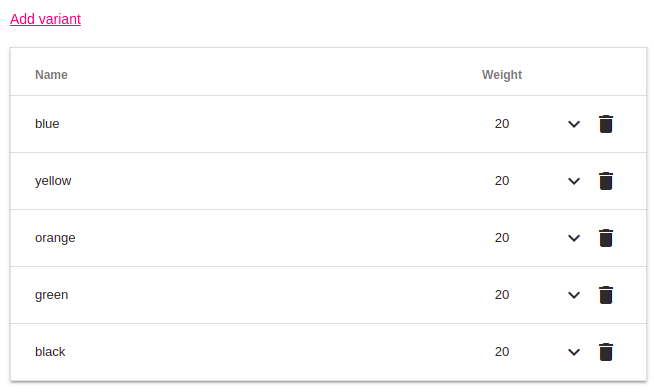
How does it work?
Unleash will first use activation strategies to decide whether a feature toggle is considered enabled or disabled for the current user.
If the toggle is considered enabled, the Unleash client will select the correct variant for the request. Unleash clients will use values from the Unleash context to make the allocation predictable. UserId is the preferred value, then sessionId and remoteAdr. If no context data is provided, the traffic will be spread randomly for each request.
If the toggle is considered disabled you will get the built-in disabled variant.
A json representation of the empty variant will be the following:
{
  "name": "disabled",
  "enabled": false
}
The actual representation of the built-in the client SDK will vary slightly, to honor best practices in various languages.
If you change the number of variants, it will affect variant allocations. This means that some of the users will be moved to the next variant.
Java SDK example:
Variant variant = unleash.getVariant("toggle.name", unleashContext);
System.out.println(variant.getName());
Client SDK Support
To make use of toggle variants, you need to use a compatible client. Client SDK with variant support:
- unleash-client-node (from v3.2.0)
- unleash-client-java (from v3.2.0)
- unleash-client-ruby (from v0.1.6)
- unleash-client-python (from v3.3.0)
- unleash-client-dotnet (from v1.3.6)
- unleash-client-go (from v3 branch)
If you would like to give feedback on this feature, experience issues or have questions, please feel free to open an issue on GitHub.